 OceanLog™
You log the session. OceanLog explains what it noticed, and why.
You log the session. Conditions fill themselves in. If you wore a smartwatch, its data comes in too. Then you get a short report on how your session went, and why.
0Check the forecast
Read against your gear and your skills
1Go have fun!
That’s the point of all of it.
2Log it
Log it in a minute. Conditions and watch data fill themselves in.
3Show your coach
Optional. They see only what you share, in their own voice.
4Understand & improve
What actually happened. So you read the next forecast better and pick the right board.
Log it in four taps.
Swell, wind, tide and water temperature are fetched for the spot and time you were there. All you add is how it felt, what you tried, and which board you were on.
Your heart rate, read by what you were doing 🔒
Your watch knows your heart rate. It doesn’t know which stretch was a wave. OceanLog does, so it splits your heart rate into riding, paddling and waiting, and draws it on your track.
Yours only. Heart rate is health data. It never goes on a share card, on Instagram, on a friend’s view or on the spot map. Your coach sees it only if you switch heart rate on for that coach.
Honest about gaps. Wrist sensors drop out in the water. Where that happens, we show a gap instead of inventing a line.
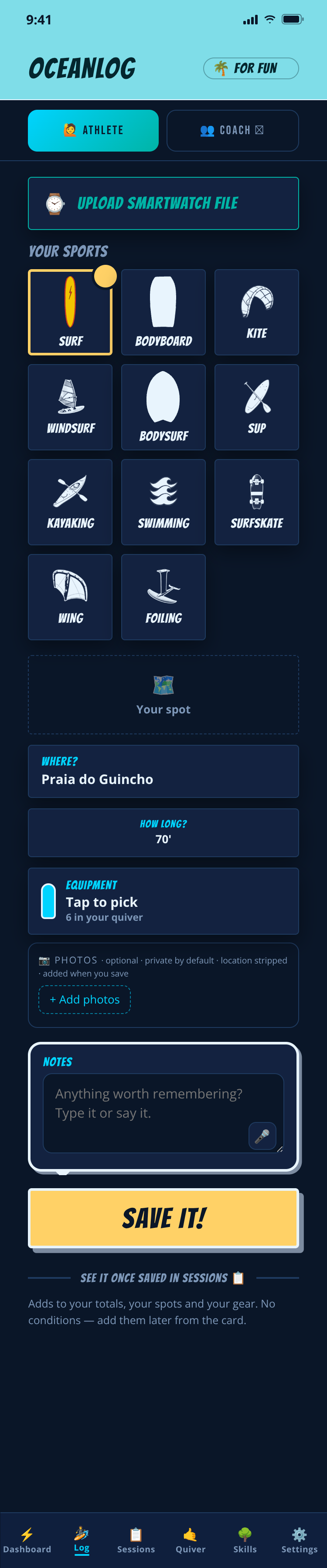
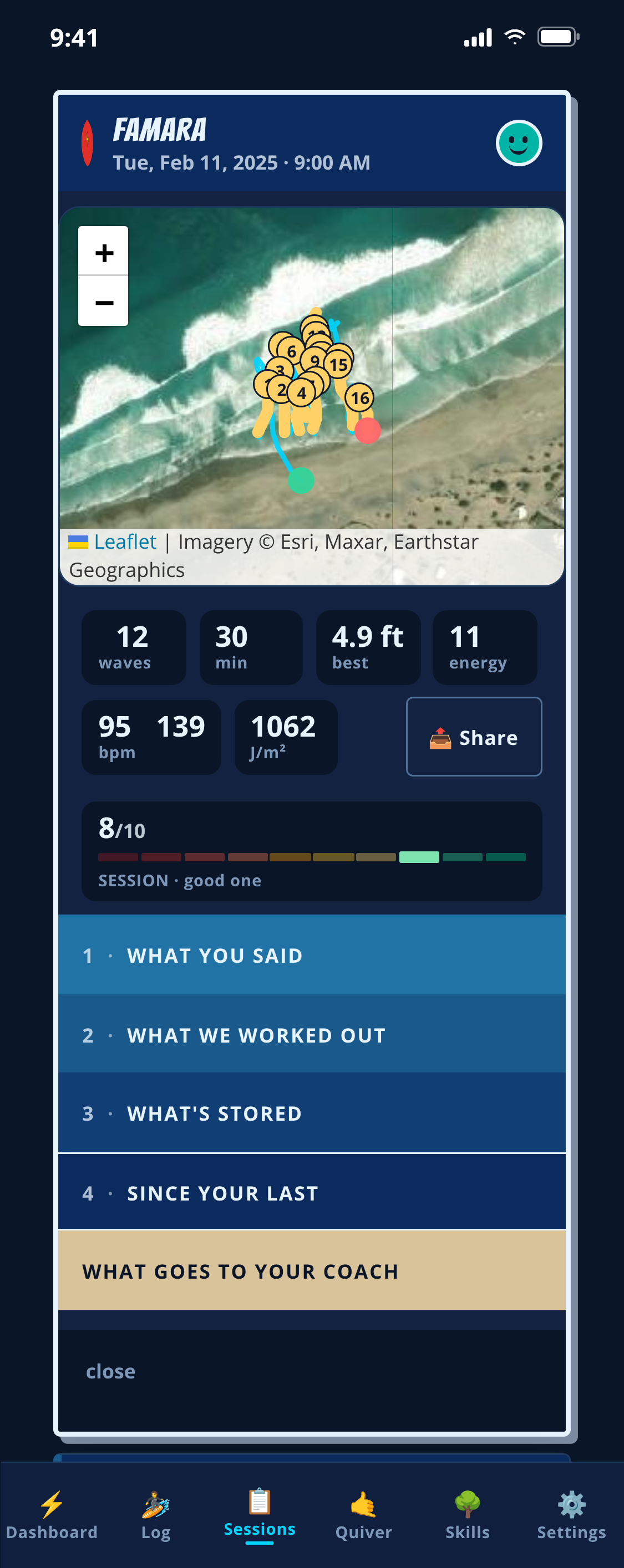
Then it reads the session back.
Wave position, board speed and physical effort as three independent estimates, never one closed measurement. What stood out, what the data can't carry, and one thing worth trying next time.
OceanLog surfaces. You decide.
It explains what it noticed, and why.
We never grade you. No leaderboards. Ever.
A season becomes something you can read.
Skills per board, gear against the conditions it actually met, and your own records over time. You versus you, never a leaderboard.
Windsurf, wing and foiling are loggable now, tailored coaching for them is still catching up.
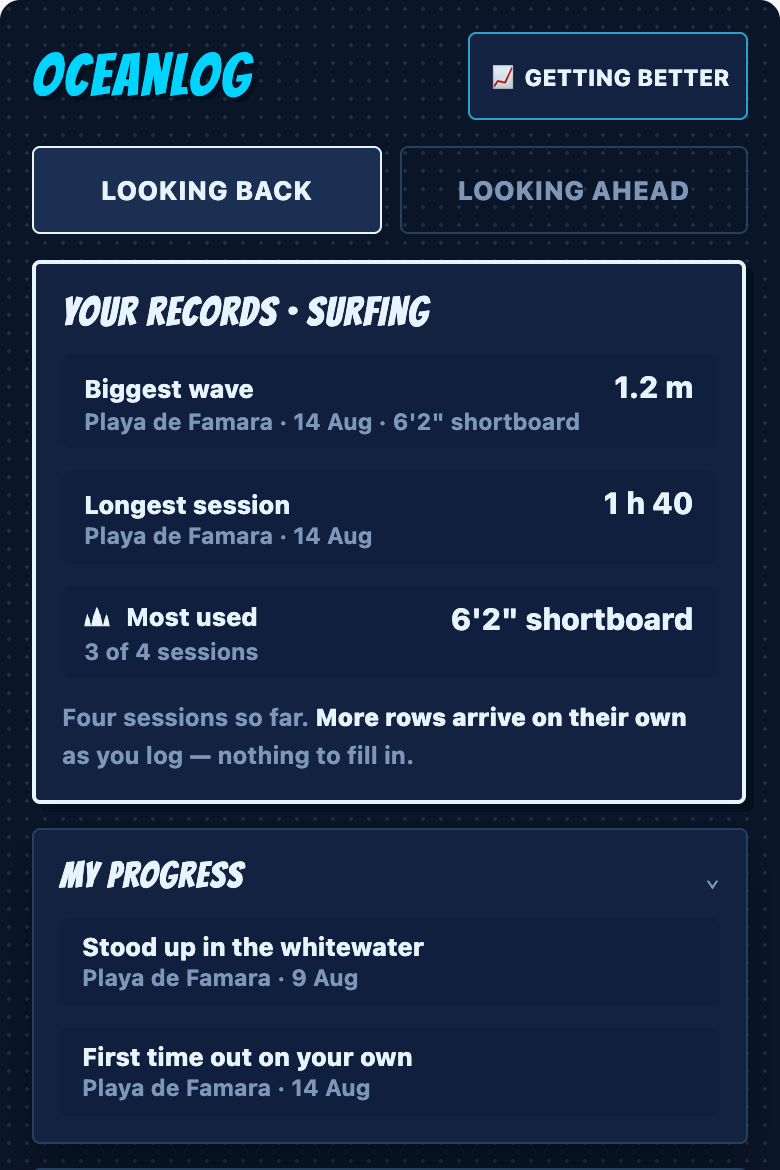
Eight ways of reading a session. None of them grade you or rank you against other athletes.
Every plan gets the same quality report. Upgrade for more reports and a deeper look at your whole season.
First Session
Useful from your very first log.
Ocean read
What the sea was doing at that spot, and how it went for you.
Equipment compare
Which board and fin fit the day. Never “which is better”.
Weekly
Your week on one page, the one your coach reads.
Insights
What varies, what repeats, where your water time goes.
Cross-sport
Every sport you do, read as one athlete. No more flat days.
Deep season read
Many sessions together: “am I actually getting better?”
Progression
Read against the levels your coach already uses. No programme endorses OceanLog.
Also in every logbook
I.A.N. : ask in plain words, he takes you to the right screen and offers one thing to try next.
Your year-end recap: The Logbook 2026 — your season in numbers, from your own log · coming in December.
Rules every report obeys
Same model, every planAlways
Told when you’re reading AIEvery time
Secret spots inside a reportRedacted
Who you surfed withCount only
A grade, or a ranking against other athletesNever
Language of your reportsAll nine
Private by default. Stored in the EU. We never sell it and never advertise. More on Why OceanLog →
Bring your old log
Import past sessions from a CSV, spreadsheet, another app, or the notebook typed up. A season at a time, or send us the file and we’ll do it with you.